Recently I wiped the contents of the Trusted Platform Module of a laptop. Now the laptop failed to boot as the Bitlocker key was not stored in the TPM anymore.
To my surprise it was possible to get a code from Microsoft to access the laptop's disk again, as one of the admin accounts was a Microsoft account.
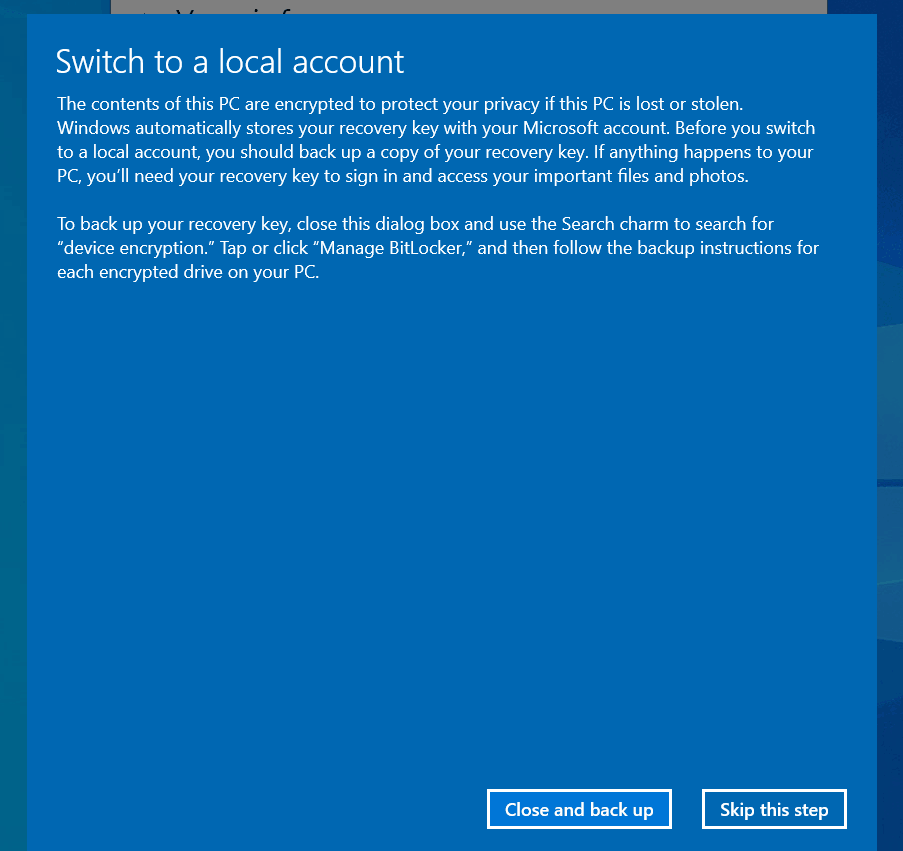
I strongly suspect, Microsoft does only activate Bitlocker during the OOBE if it can set-up this kind of Bitlocker recovery mechanism, storing an (indirect) decryption key at Microsoft.
It is the primary failsafe for Microsoft 365 accounts to store the BitLocker recovery key with your Microsoft account. The other failsafes are printing the key or storing it on an external device.
One can easily obtain the recovery key on a system by doing "manage-bde -protectors -get c:" in an admin command prompt. This is not a vulnerability, it is by design.
This seems like a reasonable default. Encrypting data without having a reasonable recovery method (such as uploading the key to the cloud), would cause more harm than it would help. And if the user is already straying from the happy path in set up, it's probably a good idea to avoid encrypting and assume they know what they're doing.
Note that this is the same on Mac OS: all drives are encrypted by default, but turning on FileVault gives you the option of either uploading the key to iCloud, or have a recovery key printed out, which you are expected to keep safe: https://support.apple.com/guide/mac-help/protect-data-on-you...
I haven't been using windows since win 10 and I was shocked at the garbage I had to go through when I installed win 11 in a vm.
Forced online account creation, page after page asking to enable data, ad preferences for what normally costs a lot of money, all of this seems crazy when I compare it with a recent Linux install which had zero things I had to agree to. The windows ULAs are so long you can't even read them if you wanted to.
At least I only paid USD 3 for the license because anything more than that IMO is insane at this point.
I have made a claim before which I shall make again: Windows 11 should be considered malware, it is the worst product Microsoft has ever produced. I hope the experience gets even worse so that more people will abandon Windows for better OS's.
I installed Windows 11. A couple hours later, I was horrified to find that Windows 11 uploaded all files on my desktop to Microsoft. There's no warning or opt-in. OneDrive is set up by default to silently copy all your files. How is that legal?
Windows 10 had the same behavior. MacOS has also done this by default for years now. I don’t say this to excuse the behavior. On the contrary, I’ve seen many a small business owner run afoul of compliance requirements because they aren’t aware of the default behavior. Slurping data to consumer-grade cloud services ought to require informed consent.
Agreed. My use of windows dies with Windows 10. My next gaming PC will be Linux and I will deal with not all games working. My steam deck proved this is 100% viable.
on win11 home edition, when inside an explorer folder , i can't even drag and drop another folder or file onto the address bar anymore (moving files up a directory). I swear i could do this in like windows xp and 2000, windows is for sure going backwards i hate it. i keep getting a blocked icon when i hover over parent directories.
i guess its motivation to become more proficient with the command line
also another hugely annoying thing is how windows has removed the labels for copy/paste and shortened the context menu. I recently went back to school and non tech savvy people have no clue about those icons and i swear i have to apologize to them everytime (since im the "tech guy") how bad microsoft is lmao
Do I read between the lines here that the default setup for home users (who have a Microsoft account) is to have an encrypted drive, but Microsoft gets sent a copy of the key...?
I really wonder how many times the Microsoft legal department gets asked to hand over keys to law enforcement...
This is explicitly the case according to Microsoft documentation[1].
"When the administrator uses a Microsoft account to sign in, the clear key is removed, a recovery key is uploaded to the online Microsoft account..."
Microsoft does not break down requests by key disclosure, but they do say in their most recent report for 2022 H2 that they released account content for 522 requests to US criminal authorities in that half. It does not note how many accounts were included in those 522 requests.[2]
That safe is great! The code includes the number 4, which isn't on the dial. Good thing the dial includes two 7s, two 19s and a backwards 5, though. The power of whomever drove that pin into the steel! And; the genius of screws and hinges on the outside to help you get in if you've forgotten the code.
> I used one of the unofficial, unsupported, yet well known and commonly used tricks to get through the setup process without having to sign in with a Microsoft account
> It turns out that if you skip the Microsoft account sign-in step and only create a “local account”, your data is encrypted but the encryption key is stored on the drive unprotected
So . . . unsupported behavior gets unexpected results?
From reading the article, it seems the author assumed that disk encryption is on by default, which is not the case in Windows. You have to, for example, open the "Manage BitLocker" control panel applet to set up disk encryption.
It is on by default in Windows 11 Home if you go through the normal setup experience completely according to the Microsoft documentation. As part of the setup, you sign in to a Microsoft account, which then creates a TPM protector.
"Unlike a standard BitLocker implementation, device encryption is enabled automatically so that the device is always protected... When the administrator uses a Microsoft account to sign in, the clear key is removed, a recovery key is uploaded to the online Microsoft account, and a TPM protector is created. Should a device require the recovery key, the user is guided to use an alternate device and navigate to a recovery key access URL to retrieve the recovery key by using their Microsoft account credentials."
"In fact, the mechanisms to do exactly that are already in place. Windows 11 Home and Windows 11 Pro both support automatic device encryption, with the Home version a more streamlined experience. You just have to sign into the machine with a Microsoft account, which nearly all people do during setup."
My main point is just that if you skip this, like a lot of privacy conscious people do, you might end up inadvertently not having encryption fully enabled.
I would think the other side of this is "if you try to boot another OS one day, surprise, you didn't know the disc was encrypted and can't access any of your files."
That screams anti-competitive behaviour to me-- how many people would stop their "let's try Linux" experiment if you can't mount your existing drive to access previous data?
...or they're trying to increase security against physical attacks. The year of the Linux desktop has been a running joke for decades. Microsoft doesn't need disk encryption to keep Linux from gaining traction. Linux is already doing a pretty good job for them.
Well, I could see plenty of other use cases (i. e. "My machine is kaput, can you tether the hard disc and grab my data") but this one has a legitimate business edge if they intercept it.
I quote that exact part of the documentation in the post. I also talk about the difference between "Device encryption" and "BitLocker Device Encryption"
My argument isn't that this isn't documented. It's that it is a bit counterintuitive.
My points are:
1) It would be best if Microsoft just asked if you wanted encryption if you create a local account. This is what Apple does in this situation. I imagine a large portion of the people who are creating local accounts on Windows 11 Home are the sort that want to manage their own keys.
2) If you are in that set of people, you should double check your setting if you never thought about it before, because it's easy to miss.
It seems pretty scummy since it convinces and uses language that would lead users to believe they are getting an OOTB disk encrypted system even if they opt to not become a part of Microsoft's data silo.


To my surprise it was possible to get a code from Microsoft to access the laptop's disk again, as one of the admin accounts was a Microsoft account.
I strongly suspect, Microsoft does only activate Bitlocker during the OOBE if it can set-up this kind of Bitlocker recovery mechanism, storing an (indirect) decryption key at Microsoft.