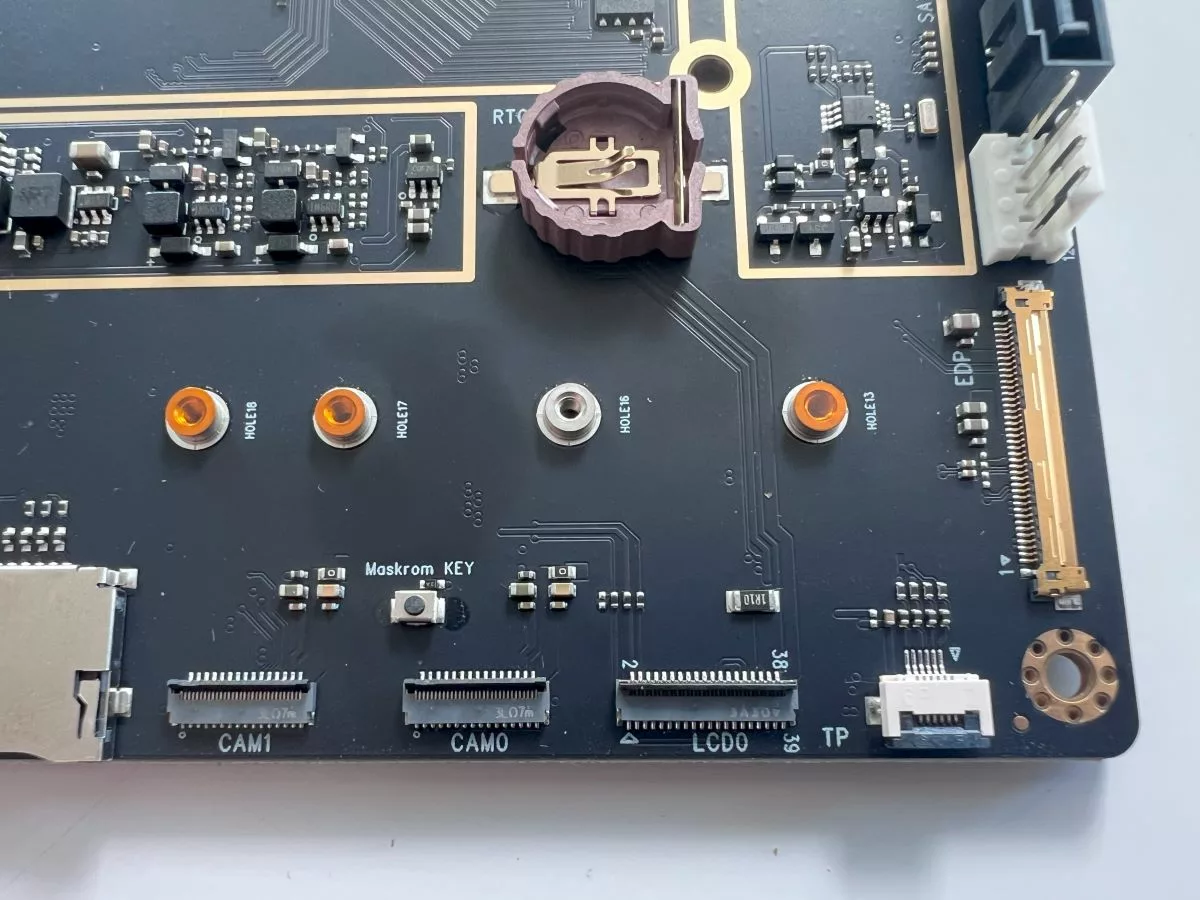
When these ARM boards start coming with UEFI and I don't need to hunt around for blessed OS images with patched kernels I'll be a lot more interested, until then I've got to stick with x86 to maintain my sanity.
UEFI is not enough if you don't have all the drivers in the OS image, especially the GPU drivers. Last year I bought a cheap Windows Qualcomm 8xx ARM tablet on sale and it was very nice for the money but I returned it when none of the ARM Linux ISOs I found online could boot on it despite the tablet having UEFI support, because Qualcomm.
Booting Linux distros out of the box is such a non-issue on X86 that we take it for granted when on ARM it's just a pipe dream.
If the ARM PC future is all proprietary custom firmware blobs that need to patched for each SoC/motherboard for Linux to boot, then you can keep them, I'll stick to X86 thank you very much.
Right, you need reasonable firmware (boot path and device enumeration) and to actually have the drivers upstreamed. Both necessary, neither sufficient alone. (Although, either one alone still a massive improvement over the usual)
Part of the point of UEFI is to support a graphical framebuffer and HID devices (keyboard and mouse) out of the box, that's what powers the fancy BIOS setup screens on newer PC's. Hardware-specific drivers are supposed to be optional.
FWIW, there is a port of EDK2 to the RK3588, which is what powers this board. Most of the peripherals work. So that's nice. But the thing is, it isn't UEFI so much as the device-tree/ACPI distinction you need to be mindful of. ARM systems use both methods (whereas everything on x86 is ACPI.) You can use either DTBs (kernel configuration option) or ACPI to boot Linux on this device, though. https://github.com/edk2-porting/edk2-rk3588
A tiny subset of UEFI would be nice (ability to load files from a fat32/exfat/something partition, framebuffer, memory map). Also a subset of ACPI (enumeration of PCI devices) and XHCI (enumeration of USB devices). That's enough of a starting point where you can load drivers, and show the user an error if there's unknown hardware.
No PCIe connectivity is very unfortunate. I think these ARM/RISC-V SBCs are very attractive in combination with high-throughput NICs (or if you're into AI, things like the Tenstorrent cards). That'd be very nice for building smaller prototypes of 100G+ edge compute, CDNs, cloud, serverless platforms etc. without having to shell out for an Ampere Altra (or x86 equivalent).
Nowadays there's such a big move towards heterogeneity that good PCIe connectivity feels like table stakes for SBCs.
> If you choose to power via PoE you can expect to get 25W of output.
Can you power this device via PoE ("choose to power via PoE"), or can this SBC power other devices over PoE ("expect to get 25W of output")? I clicked through some other reviews, but didn't see it addressed.
Not sure if this was added or edited later, but the linked article clarifies:
ROCK 5 ITX Power over Ethernet (PoE)
Here we can see that the PoE module is not soldered in and connects using 8 pins which is quite nice. If you choose to power the ROCK 5 ITX via a PoE switch (the ROCK 5 ITX doesn’t provide PoE power to another device) you can expect to get 25W of power budget for the system itself and any peripherals/devices you plan to power from the boards connectors.
(my summary of that quoted section:)
So, you can power the board with PoE, which will give the board and any connected devices 25W of power budget. Without looking at the specs of the CPU/GPU, that's probably enough to run at least one m.2 drive and a couple USB peripherals?
Ah, you power this device via PoE and it can then draw up to 25W from a PoE switch feeding it. You cannot power another device via PoE with the ROCK 5 ITX as the source
It's always the software that's the missing element.
I prefer low end Intel compatible boards because the software just works. I spent too many hours with weird arm devices trying to get them to do basic stuff that is taken for granted on Intel, such as booting up.
This is aimed at desktop use. I guess it would be hard to mount if it was smaller than mini-ITX spec and/or wouldn't mount firmly on some/many desktop cases.
The whole point of this product is that it is standard ITX sized. Radxa has several sibling products with smaller footprints, e.g. Rock 5C https://radxa.com/products/rock5/5c/
Your point stands, but I don't think there is such a thing as full-size ITX; Mini-ITX is the largest ITXl; Mini-ITX is backwards compatable with ATX, so perhaps you meant "full-size ATX?"
That board is double-sided: the CPU and the SSD slot are on the back, while this ITX board has all the connectors and the processor on the top. That makes a difference both for the complexity and cost of building the board, and the complexity of assembling a system with the board, heatsinks and all.
I don't think they were saying that it has to be that big to fit an M.2 drive on it, they're pointing out that in the picture you shared, that space is for the M.2 NVMe drive to be mounted in
But there aren't really generic Pico-ITX cases are there? What's the point of designing a Pico-ITX board if you need a custom case anyways? Just use the Radxa Rock 5B at that point.
tkaiser has some additional information from his initial testing at https://github.com/ThomasKaiser/Knowledge/blob/master/articl... if people are curious to know more, though it should be noted these were early release samples and as such, software/firmware isn't exactly perfect at the moment
It can be operated w/o a host. It offers the ability to connect 16 lanes (or is it 32?) of PCIe Gen5. It has a 1 GbE management port, a BMC running OpenBMC, and a 400GbE NIC that does crypto offload.
The debug environment is FANTASTIC.. you can remote attach a gdb, set breaks, and step through bootup. It made it super easy to get our OS going on it (especially when I couldn't talk to the serial-on-lan port for a stupid reason, and could not get into the box.. I could at least use the debugger to verify we were booting).